
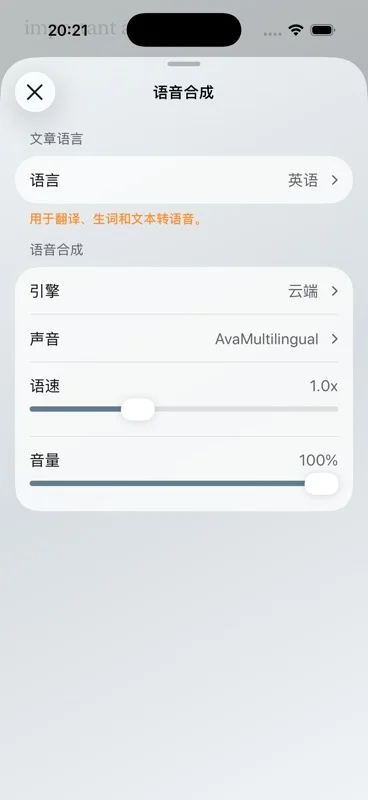
Short answer: Apple system voices and English on-device neural voices can speak without a network after they are on the device. The built-in cloud engine and a TTS API you connect cannot. The book or article also has to be imported before you leave.
Which engines are actually offline
| Engine | Offline? | Languages |
|---|---|---|
| Apple system voice | Yes, after that voice is available on the device. | Whatever iOS has installed. This is the path for languages other than English. |
| On-device neural | Yes, after it is available. | English. |
| Built-in cloud | No. | Depends on that engine. Synthesis text is sent to the provider. |
| Your TTS API | No. | Depends on the API you connect. Synthesis text is sent there. |
Aurader does not promise a fixed catalog of languages. Coverage is the engine plus the voices you can use. If you need French, Japanese, or anything that is not the English neural voice, plan on a system voice that is already downloaded, or accept that you will be online.
The wider comparison, including when a cloud voice is worth it, is on the TTS reader page. This page is only the offline cut.
Prepare a book before the connection drops
- Import the file on a normal network. Bookshelf for EPUB, PDF and TXT. Articles for a paste, a scan, a webpage or a feed you have already saved. Aurader cannot download a new webpage for you later.
- If it is a PDF, select a word now. A scan will not grow a text layer in airplane mode. See PDF text to speech on iPhone.
- Switch the voice off the cloud engine. Listen to a paragraph. The sentence should highlight with Wi-Fi off, as a test, before the trip.
- Set speed and pronunciation. Do it while you can still tell that a name is wrong.
- Decide about music. Background music that is already available can play under the voice. Free accounts are capped at 20 minutes a day. The cap is about membership, not about whether the plane has Wi-Fi.
iCloud sync requires Premium and a network, so do not count on it to fetch a book you never imported on this device. Audio export also requires Premium and is not required for listening in the app.
Offline is also the private path
Import and file parsing stay on the device either way. The difference is speech. A local engine keeps supported synthesis on the iPhone or iPad. A cloud engine or your API sends the text needed for that synthesis to the provider. If the document should not leave the device, do not select those engines. The privacy policy is the full account.
Highlights, notes, lookup and translation that need a service may still want a network even when the voice does not. Test the gesture you care about while you are offline at home. For a study setup built around those tools, see text to speech for study.
Still true offline: the free library holds 10 books and 10 articles. Premium does not remove the need for a local voice. It does not turn the cloud engine into an offline engine.
Questions about this guide
Can Aurader read aloud offline?
Yes, with Apple system voices or English on-device neural voices, after those voices are on the device. The book or article must already be imported.
Do cloud voices work on a plane?
No. The built-in cloud engine and a TTS API you connect need a network, and they send synthesis text to the provider.
Are offline neural voices available in every language?
No. Offline neural voices are English. Other languages use system voices, cloud voices, or a TTS API you configure.
Does background music work offline?
Music that is already available can play under the voice. Free accounts are limited to 20 minutes of background music a day.