
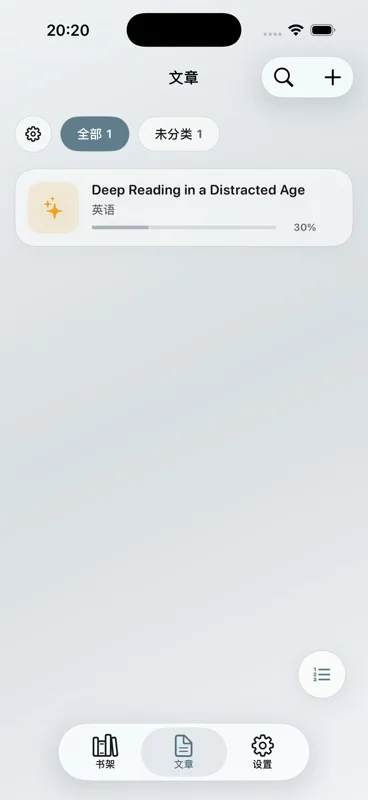
Short answer: text to speech for study means the voice is tied to a page you can mark. Aurader highlights the spoken sentence, lets you note and translate without leaving it, and keeps articles separate from the Bookshelf.
What to put in a study session
Use the Bookshelf when the material is a book: EPUB, PDF or TXT. Use Articles when it is shorter or arrives in pieces. An article can be text you write or paste, a file including DOC or DOCX where supported, a scanned page, a webpage, or an RSS or Atom feed. Articles can be read aloud with bilingual text and shadowing, which is the closer fit for language study than a novel on the Bookshelf.
A text PDF of a paper can live on the Bookshelf if the words select. If they do not, follow the PDF reader guide and save the scan as an article. A chaptered book is happier as an EPUB. The taps are on read an EPUB aloud.
A study loop that uses the voice
- First pass, slower. Drop the speed until the argument is clear. Highlighting shows the sentence you would otherwise miss.
- Mark in the margin. Notes sit with the sentence. Lookup and translation stay on that page instead of a separate dictionary app.
- Collect words. Saved words go to the wordbook. That list is for review. It is not a second copy of the book.
- Make a card from one sentence. A card is for a line you want to see again or share, not for every paragraph.
- Second pass, faster. Raise the speed on familiar pages. Bilingual articles can be read with the two texts and with shadowing, where you speak after the voice.
- Stop on purpose. A sleep timer ends a session. Stats show recent reading and listening, which is a check on whether you only pressed play.
Optional background music can make a long paper easier to stay with. Keep it under the voice. Free accounts get 20 minutes of background music a day. If the material is sensitive, prefer a system voice or an English on-device neural voice so the synthesis stays on the device. Offline text to speech spells out the boundary.
What this will not do for studying
Aurader will not summarize the chapter for you on this page’s authority, and it will not claim a fixed list of dozens of languages. Language coverage depends on the engine and the voices you have. Offline neural voices are English. Other languages use system voices, cloud voices, or a TTS API you configure.
It also will not replace looking at the page. The useful part is that listening and the text stay locked. If you only want a file of audio, audio export exists and requires Premium. The free download still includes listening in the reader, within the library limits of 10 books and 10 articles.
Membership: Premium is an in-app purchase, either a one-time lifetime membership or a weekly subscription. It raises limits and unlocks extras such as iCloud sync, audio export and certain on-device models.
Questions about this guide
Can I use Aurader to study?
Yes. Listen with the sentence highlighted, then highlight, note, look up, translate, and save words to the wordbook.
Are articles different from books?
Yes. The Bookshelf is for EPUB, PDF, TXT and audiobooks. Articles are for shorter text, scans, webpages and feeds, including bilingual reading and shadowing.
Can I study offline?
System voices and English on-device neural voices can work offline once available. Cloud voices and a TTS API cannot.
Does the free tier include study tools?
Listening, highlights, notes, lookup, translation and the wordbook are part of reading. The free library holds up to 10 books and 10 articles. Some extras, including audio export and iCloud sync, need Premium.